No products in the cart.

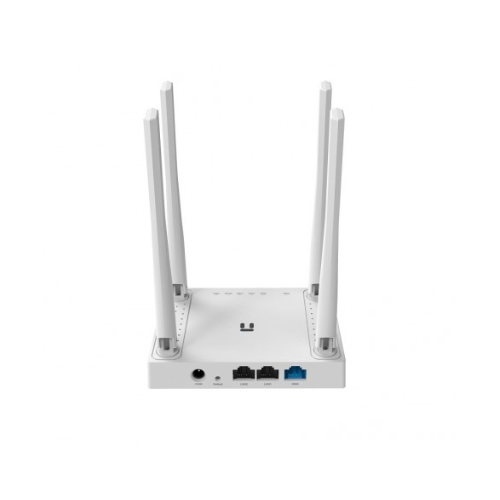
Netis W4 300Mbps WiFi Router delivers dependable wireless internet coverage throughout your home, ensuring every family member stays connected without interruption. Whether you live in a compact apartment in Dhaka or a multi-story house in Chittagong, this router provides the stable connectivity your household needs for work, education, and entertainment.
In today’s digital age, a reliable internet connection has become as essential as electricity. Remote work, online classes, video streaming, and smart home devices all demand consistent WiFi performance. The Netis W4 addresses these needs with straightforward functionality that works right out of the box, eliminating the complexity often associated with networking equipment.
Why the Netis W4 Stands Out in Bangladesh’s Router Market
Finding the right balance between performance and affordability challenges many households across Bangladesh. The Netis W4 wireless router solves this dilemma by offering robust features without the premium price tag attached to many international brands. This makes quality home networking accessible to families throughout Sherpur, Mymensingh Division, and beyond.
Unlike entry-level routers that struggle with multiple devices, the W4 maintains stable connections even when several family members browse simultaneously. The 300Mbps speed capacity handles everyday internet activities with ease, from checking emails and social media to streaming videos in standard definition. For typical broadband connections available through ISPs in Bangladesh, this router provides more than adequate throughput.
The compact design fits seamlessly into any room without dominating your living space. Two external antennas ensure signal distribution reaches bedrooms, living areas, and outdoor spaces like balconies or small courtyards. Setup requires minimal technical knowledge, making it suitable for users who prefer plug-and-play simplicity over complicated configuration processes.
Key Features That Make Your Internet Experience Better
Fast Wireless Speeds for Daily Use
The 300Mbps wireless transmission rate supports simultaneous browsing, messaging, video calls, and light streaming across multiple devices. This speed tier suits most residential broadband plans offered by ISPs throughout Bangladesh, ensuring you maximize your internet subscription without bottlenecks.
Wide Coverage with Dual Antennas
Two 5dBi external antennas work together to eliminate dead zones in typical Bangladeshi homes. The enhanced signal strength penetrates walls and floors more effectively than single-antenna alternatives, providing consistent connectivity from your bedroom to your kitchen.
Simple Setup Process
Quick installation means you can establish your home network within minutes. The intuitive web interface guides you through basic configuration, while the WPS button enables one-touch connection for compatible devices. No advanced networking knowledge required.
Multiple Device Management
Modern households in Bangladesh often have 8-10 connected devices including smartphones, laptops, tablets, and smart TVs. The W4 manages these connections efficiently, allocating bandwidth appropriately so one device doesn’t monopolize your internet speed.
Energy Efficient Operation
Lower power consumption reduces electricity costs while delivering continuous performance. The router operates quietly without excessive heat generation, making it suitable for 24/7 use in Bangladesh’s tropical climate.
Netis W4 Technical Specifications
| Specification | Details |
|---|---|
| Wireless Standard | IEEE 802.11b/g/n |
| Wireless Speed | Up to 300Mbps |
| Frequency Band | 2.4GHz |
| Antennas | 2 × 5dBi Fixed External Antennas |
| LAN Ports | 4 × 10/100Mbps Ethernet Ports |
| WAN Port | 1 × 10/100Mbps WAN Port |
| Security | WPA-PSK/WPA2-PSK, WPA/WPA2 Encryption |
| Wireless Functions | Enable/Disable Wireless Radio, WPS, Wireless Statistics |
| DHCP | Server, DHCP Client List, Address Reservation |
| NAT | Virtual Server, Special Application, DMZ Host, UPnP |
| Power Supply | 9V/0.6A (External Adapter) |
| Dimensions | 200 × 145 × 32 mm |
| Operating Temperature | 0°C ~ 40°C |
Real-World Performance in Bangladesh
Think about a typical evening in your home. Your children attend online tutoring sessions while you catch up on work emails. Meanwhile, other family members watch YouTube videos or scroll through Facebook. The Netis W4 handles this scenario without the frustrating lag that cheaper routers introduce.
For students preparing for university admission tests, stable internet means uninterrupted access to online learning resources and video lectures. Parents working from home need reliable video conferencing capabilities. The W4 supports these activities simultaneously, maintaining connection quality across devices.
Small businesses and home offices also benefit from the router’s performance. Process online orders, manage inventory systems, communicate with suppliers, and maintain your social media presence without worrying about connectivity drops during crucial transactions.
Security Features That Protect Your Network
Wireless security remains paramount when your internet connection contains personal information, banking details, and private communications. The Netis W4 incorporates WPA2-PSK encryption, the industry standard for protecting home networks against unauthorized access.
Configure a strong password during initial setup to prevent neighbors or passersby from connecting to your network. The firewall functionality filters incoming traffic, adding another layer of protection against external threats. Regular security updates should be applied when available to maintain optimal protection.
Parental control features allow you to manage when and how children access the internet, promoting healthy digital habits. Set time restrictions or block specific websites to create a safer online environment for younger family members.
Installation Guide for Non-Technical Users
Getting started with the Netis W4 requires no prior networking experience. Connect the router to your modem using the included Ethernet cable. Plug the power adapter into a standard electrical outlet. Within seconds, the status lights indicate the router has initialized successfully.
Using a computer or smartphone, locate the default WiFi network name printed on the router’s label. Connect using the provided password. Open your web browser and enter the default gateway address to access the configuration panel. Follow the setup wizard to customize your network name and password.
For wired connections, simply plug Ethernet cables from computers or gaming consoles into any of the four LAN ports. These wired connections offer slightly lower latency than wireless, beneficial for activities requiring instant responsiveness.
Comparing Value Against Alternatives
When evaluating routers in the Bangladeshi market, consider long-term reliability alongside upfront cost. Cheaper models often fail within months, requiring replacement and creating false economy. The Netis W4 provides dependable service that justifies its price through consistent performance.
International premium brands offer advanced features like dual-band operation and higher speeds, but these capabilities exceed the requirements of most households. Unless you have fiber internet exceeding 100Mbps or need to support 20+ simultaneous devices, the additional cost brings minimal practical benefit.
The W4 occupies the ideal middle ground: robust enough for real-world demands without unnecessary complexity or expense. This pragmatic approach resonates with Bangladeshi consumers who prioritize value and reliability.
Maintenance and Longevity Tips
Position your router in a central location away from thick walls or metal objects that interfere with signal propagation. Elevating the router on a shelf improves coverage compared to floor-level placement. Ensure adequate ventilation around the unit to prevent heat accumulation.
Restart the router monthly to clear temporary files and refresh connections. This simple maintenance step often resolves minor connectivity issues before they escalate. Keep the router’s firmware updated through the admin panel to benefit from performance improvements and security patches.
Dust accumulation affects heat dissipation and potentially damages internal components over time. Gently wipe the exterior with a dry cloth every few months. Avoid using liquid cleaners that might seep into ventilation openings.
Ideal Usage Scenarios
The Netis W4 excels in typical residential environments with 3-6 connected devices and moderate internet usage patterns. Small retail shops benefit from the stable connectivity needed for digital payment systems and inventory management. Home-based businesses can reliably process online orders and communicate with customers.
Students renting shared accommodations appreciate the router’s ability to support multiple users without significant performance degradation. The affordable price point makes it accessible for young professionals establishing their first independent household.
For larger homes or users with fiber internet speeds exceeding 100Mbps, consider whether the 300Mbps wireless capacity might become a limiting factor. In most cases throughout Bangladesh, where broadband connections typically range from 10-50Mbps, the W4 provides ample headroom.
Environmental Considerations
Energy-conscious consumers will appreciate the router’s modest power consumption compared to always-on devices like refrigerators or air conditioners. The external power adapter draws minimal current, contributing negligibly to monthly electricity bills.
Consider the router’s lifespan when evaluating environmental impact. A quality router lasting 3-4 years reduces electronic waste compared to annually replacing inferior products. Responsible disposal at end-of-life ensures materials get recycled appropriately rather than contributing to landfill accumulation.
Making the Right Purchase Decision
Assess your household’s internet needs honestly before purchasing any networking equipment. Count connected devices, consider typical usage patterns, and verify your ISP’s provided speed. The Netis W4 satisfies requirements for the majority of Bangladeshi homes, delivering reliable performance without overspending on capabilities you won’t utilize.
Read the included documentation thoroughly after purchase. Understanding basic features empowers you to optimize performance and troubleshoot common issues independently. The straightforward interface makes configuration adjustments simple even for users with limited technical background.
Verify warranty terms and available customer support channels when making your purchase. Reputable retailers provide assistance if you encounter difficulties during setup or operation. Keep your purchase receipt and warranty documentation in a safe location for future reference.
Final Thoughts on the Netis W4
The Netis W4 300Mbps WiFi Router represents a sensible choice for Bangladeshi households seeking dependable internet connectivity without unnecessary complexity. Its combination of adequate speed, decent coverage, and user-friendly operation addresses the practical needs of modern families.
Rather than chasing specifications that sound impressive but provide little real-world benefit, this router focuses on what matters: consistent performance that keeps your household connected. Whether you’re video calling relatives abroad, helping children with homework, or unwinding with entertainment content, the W4 supports your digital lifestyle reliably.
In a market filled with options ranging from barely functional to excessively sophisticated, the Netis W4 occupies the productive middle ground. It delivers what most users actually need at a price that makes sense for the average Bangladeshi household budget. Sometimes the best technology isn’t the most advanced—it’s the solution that works dependably day after day.
Related products
Sale!

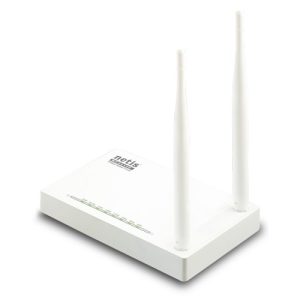
Ubiquiti UAP-AC-LR AC1300 1300 Mbps Dual-Band Gigabit UniFi Access Point
Original price was: 17,500.00৳ .15,500.00৳ Current price is: 15,500.00৳ .Sale!
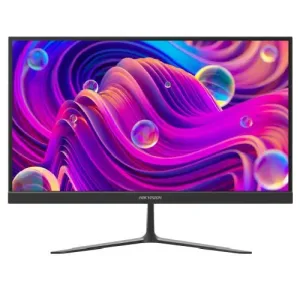
Hikvision DS-D5022F2-2P2/CBD 21.5″ 100Hz Full HD IPS Monitor
Original price was: 15,500.00৳ .12,900.00৳ Current price is: 12,900.00৳ .Sale!
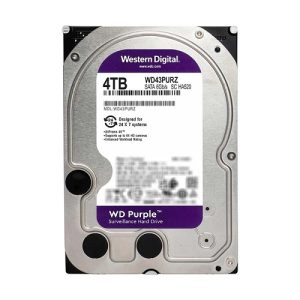
Western Digital Purple 4TB Surveillance HDD
Original price was: 19,000.00৳ .18,500.00৳ Current price is: 18,500.00৳ .Sale!
Out of stock
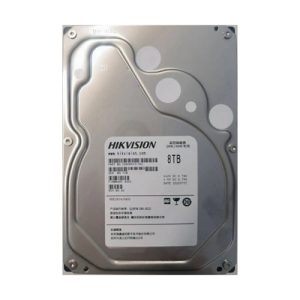
Hikvision 8TB 3.5 Inch SATA 5400RPM Surveillance HDD
Original price was: 45,600.00৳ .44,500.00৳ Current price is: 44,500.00৳ .
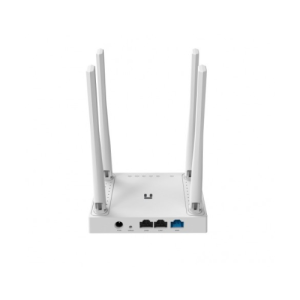 Netis W4 300Mbps WiFi Router
 1,690.00৳
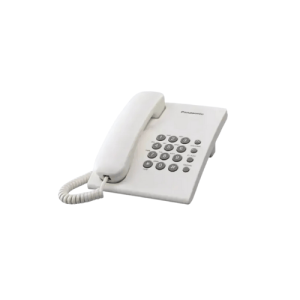
Panasonic Phone Set KX-TS500MX (Original)
Original price was: 2,050.00৳ .1,650.00৳ Current price is: 1,650.00৳ .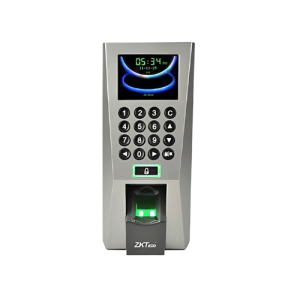
ZKTeco F18 Access Control
Original price was: 12,500.00৳ .10,300.00৳ Current price is: 10,300.00৳ .
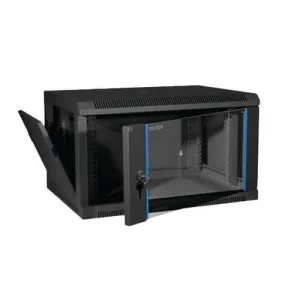
Toten 6U Server Rack 600 x 450mm
Original price was: 13,500.00৳ .12,300.00৳ Current price is: 12,300.00৳ .
Categories
Categories